Source-backed guide · Updated 2026-07-22
Pathogenic Co-op Guide: Local Multiplayer, Diatom & Remote Play
Pathogenic co-op explained: local two-player via the Diatom is supported, there is no native online mode, and a remote friend joins through Steam Remote Play Together.
Published by Pathogenic Game Wiki Editorial Team · Updated 2026-07-22
Quick answer
Pathogenic supports local two-player co-op but has no native online multiplayer. The Diatom is the two-player Pathogen — each player controls one half. A remote friend can still join your local session through Steam Remote Play Together, which streams the host’s game to them. This page covers the three options, the invite flow, how to split controller/keyboard/mouse between two players, and the most common setup failures.
Three ways to play Pathogenic with two people
Pathogenic is built around local co-op. The table shows what each option really gives you.
| Option | How it works | Needs |
|---|---|---|
| Local co-op | Two players, one machine, split inputs | Two input devices (controllers or keyboard/mouse) |
| Remote Play Together | Host streams the local session to a remote friend | Steam on both sides and a decent host connection |
| Native online | Not supported — Pathogenic has no built-in online mode | N/A |
Before you start
- Pathogenic has local co-op but no native online mode.
- Pick the Diatom for two players — each controls one half of the same Pathogen.
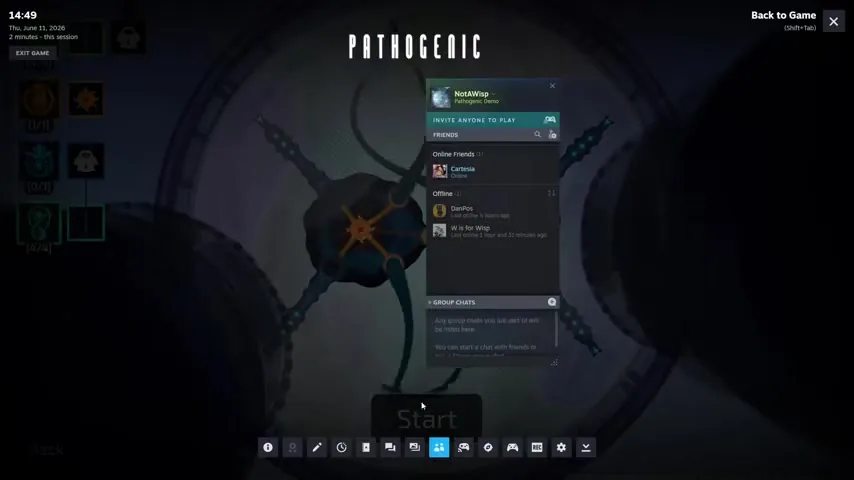
- For a remote friend, use Steam Remote Play Together (Shift+Tab, then invite).
- Assign inputs before you start: one player on controller, the other on keyboard/mouse.
- The host’s connection decides how smooth Remote Play feels.
- If the second player can’t act, check input assignment and the Steam Overlay first.
What co-op Pathogenic supports
Pathogenic has local two-player co-op, not native online multiplayer. You play together on one machine, and the Diatom Pathogen is built for it: it splits into two halves, with each player controlling one half of the same cell.
A friend in another location can still join you, but only through Steam Remote Play Together, which streams the host’s local session over the internet. There is no matchmaking, no dedicated servers, and no separate online mode — the second player is effectively playing on the host’s machine.
The three ways to play with two people
Before setup, know which option you are actually using. Local co-op is the native experience and the one the Diatom is tuned for; Remote Play Together is a way to share that local session with someone remote; native online does not exist in Pathogenic.
Set up Steam Remote Play Together
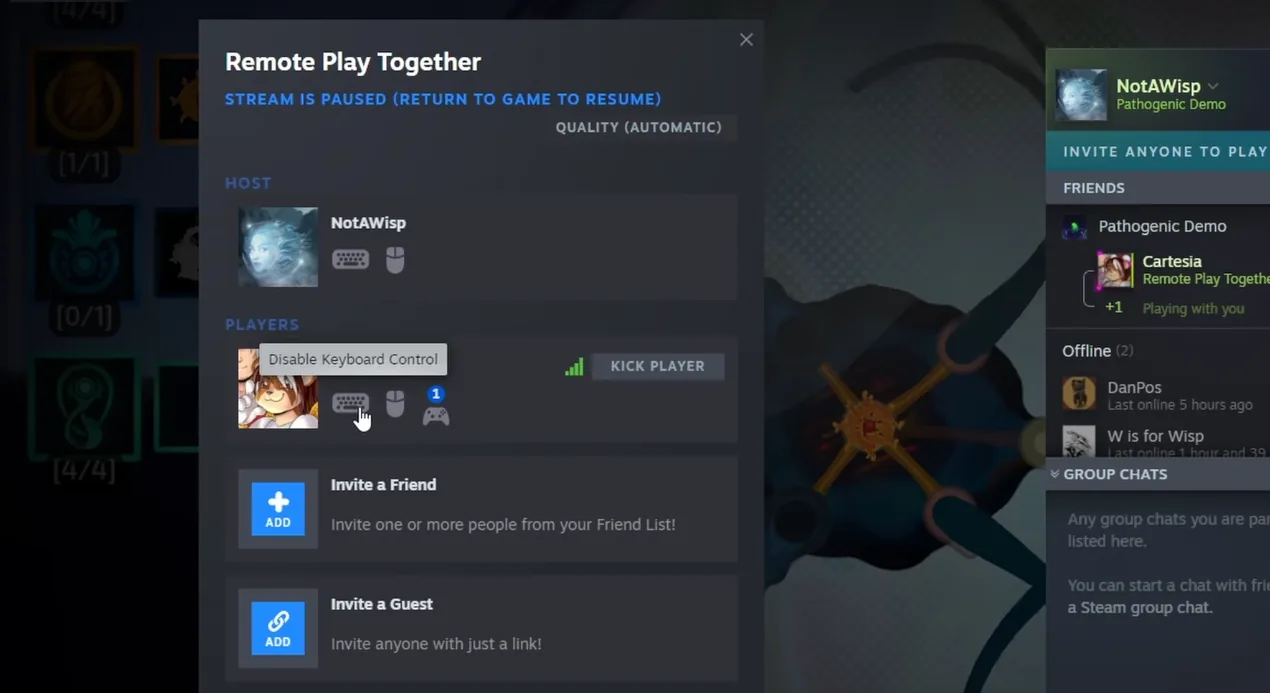
If your co-op partner is remote, Remote Play Together is the only path. The host runs the game on Steam, invites the friend through the overlay, and the friend joins the streamed session without owning the game. The seven steps below are the full flow.
Splitting controller, keyboard, and mouse
Both players need their own input device. The cleanest split is one player on a controller and the other on keyboard and mouse, but two controllers also work. Assign the devices before you start the run so the game hands each player a slot.
If both players share one device, only one of you will be able to act at a time — the most common reason a co-op session feels broken. Steam’s controller settings (under the overlay) let you reassign which device maps to which player.
The Diatom: two players, two halves
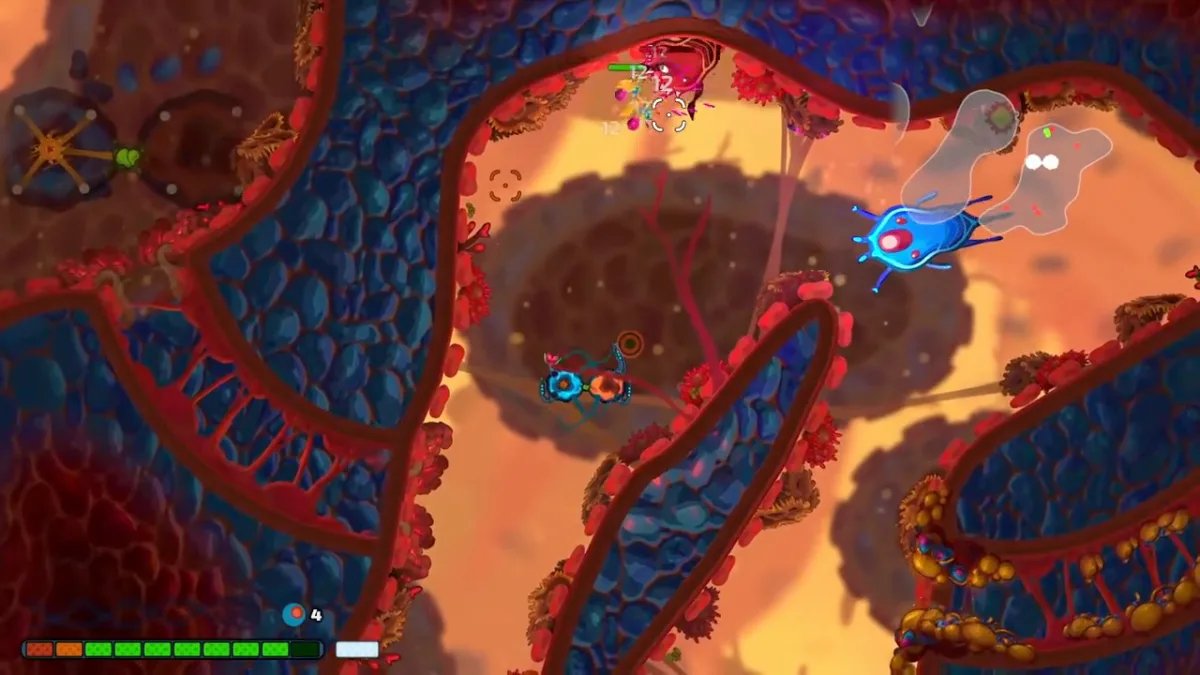
The Diatom is the co-op Pathogen. It is made of two connected halves, and each player drives one half — one side handles some of the movement and attacks, the other side the rest. Because the halves are tied together, one player’s movement drags the other, so you have to agree on where you are going.
That makes Diatom a coordination puzzle as much as a build: communicate your routing, and accept that early runs will feel clumsy until you sync. The official demonstration below shows how the two halves move together.
When co-op isn’t working
- No Remote Play invite appears: open the Steam Overlay (Shift+Tab) and start from the friends list; confirm both players are online in Steam.
- Second player can’t control anything: reassign their input device in Steam’s controller settings and check that the game gave them a slot.
- Both players move the same character: you are sharing one input — give each player a separate controller or keyboard/mouse.
- Steam Overlay won’t open: enable it in Steam Settings → In-Game, and check that another overlay is not blocking it.
- Remote Play is laggy or stuttering: it depends on the host’s upload speed and distance; lower the game resolution or use a wired connection on the host.
Frequently asked questions
Does Pathogenic have online co-op?
No native online mode. A remote second player joins through Steam Remote Play Together, which streams the host’s local session to them.
Can two people play Pathogenic locally?
Yes. Local two-player is supported — pick the Diatom and give each player their own input device.
How do you play the Diatom?
The Diatom splits into two halves, and each player controls one. The halves are tied together, so coordinate your movement or you will pull each other around.
Does each player need to own the game?
No. With Remote Play Together, only the host owns Pathogenic; the friend joins the streamed session.
Is Remote Play Together the same as online multiplayer?
No. It streams the host’s local co-op session, so the host’s connection and input setup decide how smooth it feels.